
Plates Template Engine: A Fresh Approach to PHP Development
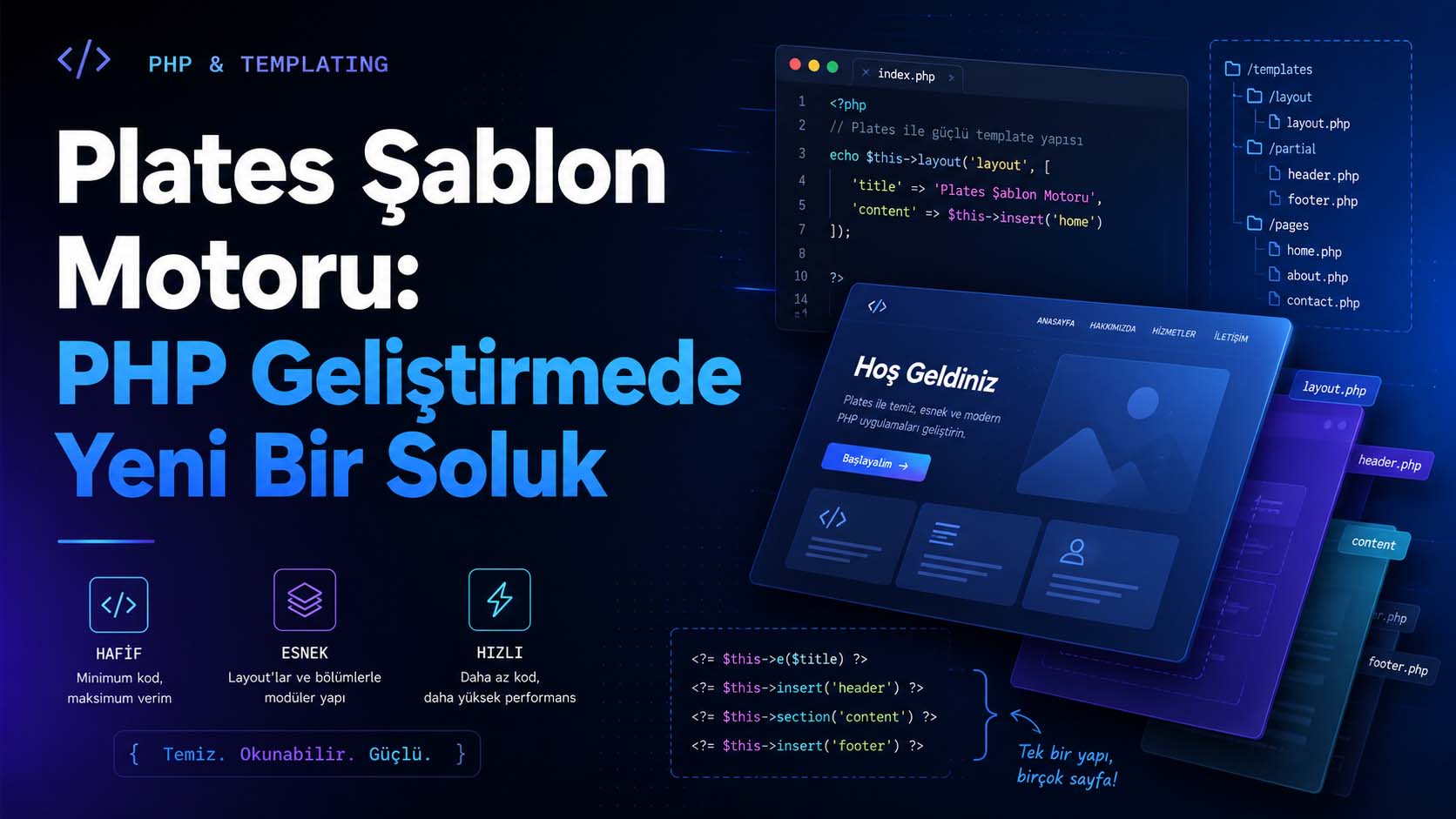
Templating engines play a crucial role in creating dynamic web pages within the PHP ecosystem. This is because a modern web application requires more than just generating data; it needs to present that data to the user in an organized, readable, secure, and sustainable manner.
On the Laravel side, Blade, and on the Symfony side, Twig, fulfill this need quite strongly. However, not every project needs a large framework. Sometimes, a lighter, more direct solution with a shorter learning curve and closer to pure PHP is needed. This is where Plates becomes a noteworthy alternative.
Plates is a native PHP-based templating system designed for PHP developers. It doesn't teach you an entirely new templating language. Instead, it uses PHP's own syntax to streamline modern templating needs like layout, section, partial, escaping, and extensions. The official documentation specifically emphasizes that Plates is a "native PHP template system" and can be used without learning new syntax.
What are Plates?
Plates is a lightweight and flexible templating engine written in PHP. Its primary purpose is to separate the application's business logic from its view layer. This allows data generated by the controller, service, or model to be displayed more cleanly and manageably in view files.
Let's consider a simple example. You're creating a blog post, product page, or user profile. The data comes from a database, but you want to manage how this data is displayed in HTML in a separate file. That's where Plates comes in, helping you transform PHP files into a more organized template structure.
Plates differs in that it doesn't create a separate templating language like Twig or Blade. If you know PHP, Plates is quite easy to understand because it uses PHP's own structure for operations like variable printing, conditional statements, or looping.
Why Use Plates?
The most important aspect that makes Plates attractive is its simplicity. In some projects, using a large framework may be unnecessary. Especially for small and medium-sized websites, custom admin panels, landing page structures, modular PHP projects, or micro-framework-based applications, Plates offers a very practical solution.
Another advantage is that it doesn't force the developer to learn new syntax. Blade has special statements like @section , @yield , @foreach ; Twig has {% block %} , {% extends %} . Plates, on the other hand, is based on PHP's own structure. This provides a more natural development experience, especially for developers who prefer working with native PHP.
One of Plates' strengths is its layout and section structure. You can keep a common header, footer, sidebar, or homepage structure in a single layout file; managing only the content that changes on different pages. The Plates documentation states that the layout structure helps to consolidate separate header and footer files into a single main template.
Plates Installation
Plates can be easily installed via Composer:
composer require league/platesA simple example of its use is as follows:
 <?php

 use League\Plates\Engine;

 $templates = new Engine(__DIR__ . '/views' );

 echo $templates->render( 'home' , [
 'title' => 'Ana Sayfa' ,
 'name' => 'Ferhat'
 ]);
In this example, the home.php file located in views folder is rendered, and title and name variables are passed to the template. The Plates documentation also shows that template rendering can be done via the render() method in Engine .
Layout Usage
One of Plates' most useful features is its layout support. For example, you can keep the HTML framework used across all pages in the layout.php file.
<!-- views/layout.php -->
<!DOCTYPE html>
<html lang = "tr" >
<head>
<meta charset = "UTF-8" >
<title> <?= $this->e( $title ) ?> </title>
</head>
<body>
<header>
<nav>
<a href = "/" > Ana Sayfa </a>
<a href = "/blog" > Blog </a>
<a href = "/iletisim" > İletişim </a>
</nav>
</header>
<main>
<?= $this->section( 'content' ) ?>
</main>
<footer>
<p> © <?= date ( 'Y' ) ?> Tüm hakları saklıdır. </p>
</footer>
</body>
</html>Then you can use this layout in a page file:
 <!-- views/home.php -->
 <?php $this->layout( 'layout' , [ 'title' => 'Ana Sayfa' ]) ?>

 <h1> Hoş Geldiniz </h1>
 <p> Bu sayfa Plates şablon motoru ile oluşturuldu. </p>
Here, the content from home.php is placed in the content section of the layout file. This structure saves you from having to rewrite the same HTML structure repeatedly.
Section Usage
In more advanced scenarios, you can define sections not only as the main content area, but also as different areas such as sidebars, scripts, styles, or custom page titles. In Plates, start() and stop() functions are used to create sections. The documentation states that these functions store the content for later use instead of printing it directly to the screen.
 <!-- views/profile.php -->
 <?php $this->layout( 'layout' , [ 'title' => 'Profil Sayfası' ]) ?>

 <?php $this->start( 'content' ) ?>
 <h1> Kullanıcı Profili </h1>
 <p> Merhaba, <?= $this->e( $user [ 'name' ]) ?> </p>
 <?php $this->stop() ?>
In the Layout section, this part is called as follows:
<?= $this->section( 'content' ) ?>This approach makes view files more organized, especially in growing projects.
Partial and Component Logic
In a web project, some HTML elements are used repeatedly. For example, a user card, blog card, product box, notification area, or menu component may appear on multiple pages.
In Plates, you can split these parts into separate files and include them using the insert() ` function. The documentation states that insert() ` function is used to import another template into an existing template.
 <!-- views/components/user-card.php -->
 <div class = "user-card" >
 <h3> <?= $this->e( $user [ 'name' ]) ?> </h3>
 <p> <?= $this->e( $user [ 'email' ]) ?> </p>
 </div>
<!-- views/users.php -->
<?php foreach ( $users as $user ): ?>
<?php $this->insert( 'components/user-card' , [ 'user' => $user ]) ?>
<?php endforeach ?>This approach is quite useful for bringing component logic to simple PHP projects. It significantly reduces code repetition, especially in repetitive interfaces like admin panels, blogs, product listings, or profile pages.
Safe Exit: Escaping
In web applications, directly printing user data into HTML is risky from a security standpoint. Especially against XSS attacks, the output must be properly escaped.
Plates offers helper tools like escape() and its shorter usage $this->e() for this purpose. However, it's important to note that because Plates uses native PHP, it doesn't perform automatic escaping like Twig. Therefore, developers must consciously use $this->e($value) when printing variables to the screen. The official documentation also explains that automatic escaping is not possible in native PHP template structures and that developers must manually escape variables during output.
 <h1> <?= $this->e( $title ) ?> </h1>
 <p> <?= $this->e( $description ) ?> </p>
This small habit is quite important for the security of the application.
Plates and Extension Structure
Plates is not limited to simple template files. You can define your own functions, create extension classes, and develop reusable helpers within the template.
For example, you can define a small function for date formatting:
 $templates->registerFunction('formatDate', function ($date, $format = 'dmY') {
 return date($format, strtotime($date));
 });
Usage within a template:
<p> Yayın Tarihi: <?= $this->e($this->formatDate( $article [ 'published_at' ])) ?> </p> The Plates documentation shows that ExtensionInterface can be used to create extensions and that template functions can be defined with registerFunction() .
This structure is particularly useful for repetitive formatting operations, URL generation, asset management, or small view helper needs.
The Difference Between Plates, Blade, and Twig
To properly position Plates, it's necessary to consider it not as a direct alternative to Blade or Twig, but as a lighter option.
Blade is very tightly integrated into the Laravel ecosystem. It offers a powerful structure with many Laravel features such as components, directives, slots, stacks, localization, and authorization.
Twig, especially on the Symfony side, provides a mature, secure, and powerful templating experience. It has its own syntax structure, automatic escaping system, and extensive ecosystem.
Plates, on the other hand, is positioned in a simpler way. It appeals to developers who don't want to learn a new templating language and want to build a more organized view layer without moving away from native PHP. Therefore, Plates can be most accurately described as a "lightweight, standalone, and native PHP-focused templating system".
In which projects can Plates be preferred?
Plates can be a logical choice, especially in the following types of projects:
- Small and medium-sized PHP projects
- Applications that use micro-frameworks
- Developers who create their own custom MVC structure
- Simple admin panels
- Landing pages and corporate websites
- Framework-independent modular systems
- Projects that want to preserve PHP's native architecture.
- Tasks that are too small to use Blade or Twig.
For a large project built entirely on Laravel, using Blade can often be more sensible. Within Symfony, Twig is a natural choice. However, if you want a framework-independent, simple structure where developer control is paramount, Plates is a strong alternative.
Things to Consider When Using Plates
Because Plates is simple, it leaves some responsibilities to the developer. For example, since there is no automatic escaping, it is necessary to use $this->e() in variable outputs.
Furthermore, Plates does not offer a ready-made directive system like Blade. Instead of statements like @if , @foreach , and @include , it uses PHP's own if and foreach structures, as well as Plates' own functions like insert() , layout() , and section() .
This is an advantage for some developers, but for others it's a matter of getting used to. If you want to stay close to PHP syntax, this structure feels quite clean. However, if you expect the high-level abstractions offered by Blade or Twig, Plates might be too minimal.
Conclusion
Plates is a valuable alternative for developers seeking a simple yet powerful templating engine in the PHP world. It allows you to create layout, section, partial, and helper structures using PHP's own syntax without learning a new templating language.
It is particularly useful for creating a clean view layer in small to medium-sized projects, framework-independent structures, or custom-developed PHP systems.
If you're using Laravel, Blade might still be a natural choice, and if you're using Symfony, Twig might be. However, if you're looking for a lighter, more straightforward solution closer to native PHP, Plates is definitely a templating engine worth considering.
In short, Plates offers a truly refreshing change for those looking to reduce complexity in PHP development, refine the viewport, and create more readable template files.
Keywords: Ferhat Gölge, homepage, portfolio, blog, Laravel, software developer
Frequently Asked Questions
What are Plates?
Plates is a native templating system developed with PHP. Instead of offering a new templating language, it allows you to create layout, section, partial, and helper structures using PHP's own syntax.
Can plates be used instead of blades?
Blade is generally a more natural choice for Laravel projects. However, Plates can be a good alternative for framework-independent PHP projects or structures where a simpler view layer is desired.
Is Plates faster than Twig?
This varies depending on the project, usage, and server configuration. Plates' advantage is that it works with native PHP files instead of compiling a new template language. However, performance comparisons should be tested on a project-by-project basis.
Does Plates perform automatic escaping?
No. Plates offers escape helpers; however, it doesn't perform automatic escaping like Twig. For safe output, variables must be printed using $this->e($value) or $this->escape($value) .
For which projects are Plates suitable?
Suitable for small to medium-sized PHP projects, micro-framework applications, custom MVC structures, admin panels, corporate websites, and framework-independent modular systems.